
Problem
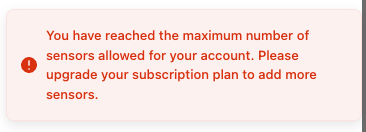
When I configure a new sensor I get an error message: "You have reaches the maximum number of sensors allowed for your account."
Solution
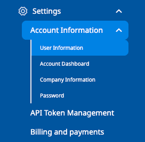
Number of sensors in your account is limited by your subscription plan. Check number of sensors you currently have in Settings > Account Information > User Dashboard.
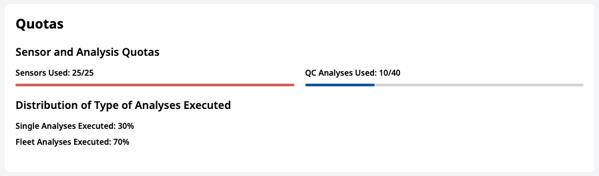
If you see the number of sensors used reached the limit, try the following options. Otherwise, contact EKO Q Support.
a) Upgrade your plan in Billing and Payment menu
b) Register your EKO Instrument pyranometer in Billing and Payment menu. Registered sensors can be used outside the general sensor quota after the ownership of the sensor is confirmed by EKO.
c) Temporarily deactivate one ore more sensors. You cannot analyse data of deactivated sensors. All the data of deactivated sensors remain safe.
Go the the site with the sensor you wish to deactivate. in context menu of the sensor select Deactivate,
d) Permanently delete a sensor.
Go the the site with the sensor you wish to delete. Caution! All the data and results of analysis stored with this sensor will be permanently deleted.