

Sensors in EKO Q are configured within sites and represent measurement instruments with appropriate parameters and measurement data associated with them. (Sensors may also represent virtual instruments such as modelled dataset.)
To create a sensor, navigate to the site where it is installed, click “Add Sensor”, and provide the required information. Refer to Configure Sensors section in detailed help for details.
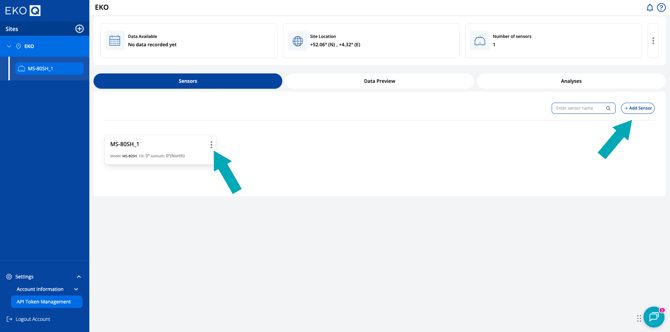
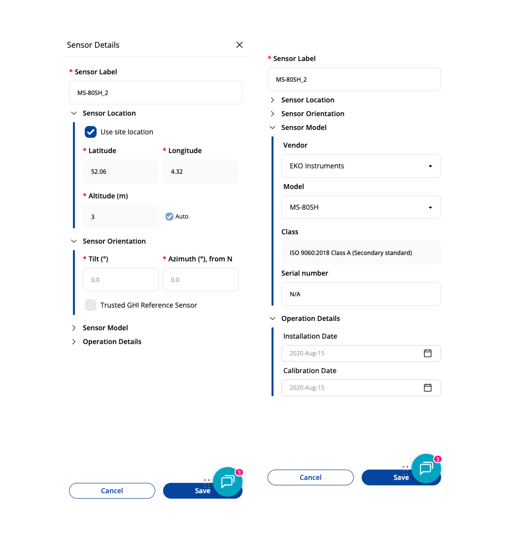
You can edit sensor details any time in the list of sensors at the site by clicking the menu ( ) button.
Now that your sites and sensors are configured, let’s move on to importing your data in the next section: Upload sensor data.
Or go back to: Configure site.