

At the first use a pop-up will ask you to fill in necessary details. Follow on-screen instructions to fill the details.
Setup access to external data sources
The EKO Q uses external satellite-based irradiance data, clear sky model irradiance data, and weather information from external data services.
To allow EKO Q access the data sources on your behalf, provide valid authentication tokens. You can follow the step by step to do so in this article: Connect CAMS Data Service API to EKO Q. Once configured you can choose which one to use for each analysis, respecting the associated terms of use and data coverage.
Open API Token Management under Settings menu in bottom-left corner. See basic information about satellite data coverage of each data source in time and space by clicking the i button ( ).
).
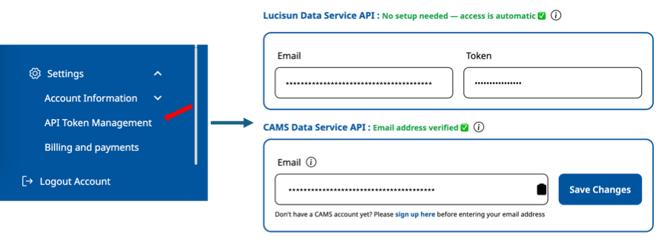
Refer to Access to Correlative data section in detailed help for more details.
LuciSun Irradiance data
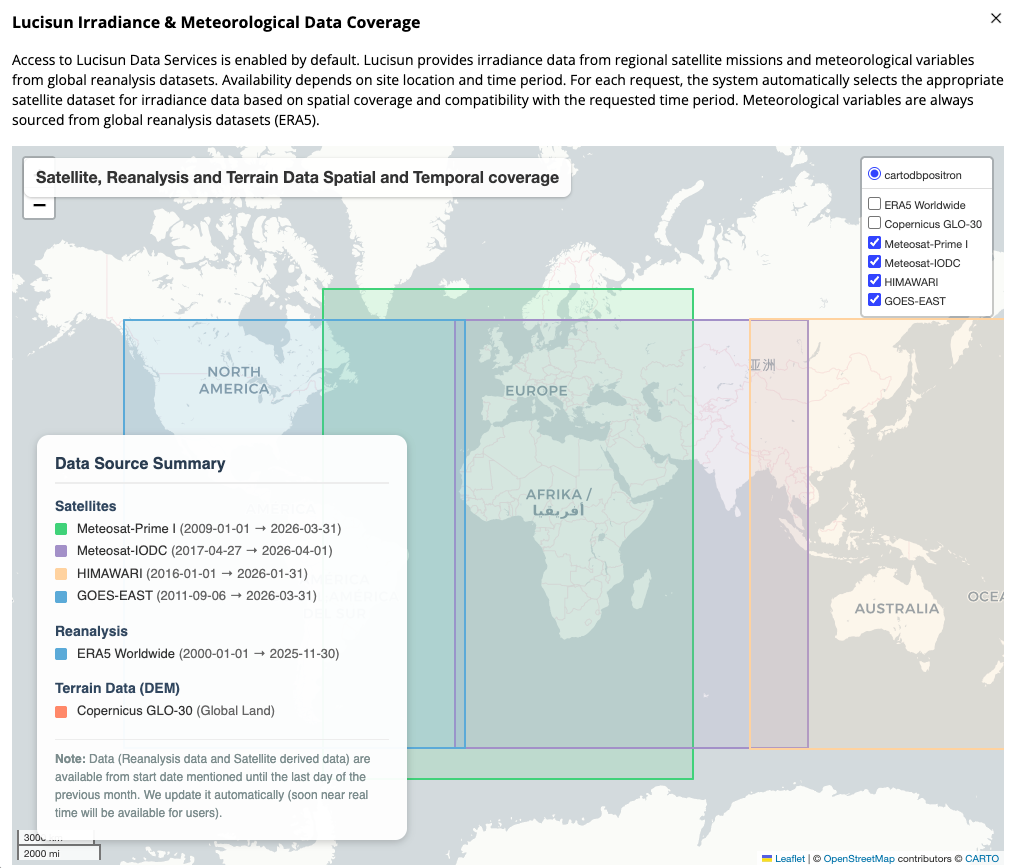
LuciSun Data Services provide satellite irradiance data and physical clear sky model data via embedded integration. Your email works as unique identifier, and all required security measures are being taken automatically.
CAMS Irradiance data
EKO Q accesses satellite irradiance data and physical clear sky model data provided by Atmosphere Monitoring Service by Copernicus Programme via embedded integration on your behalf. Please register with soda-pro.com website and provide the e-mail in the Email field.
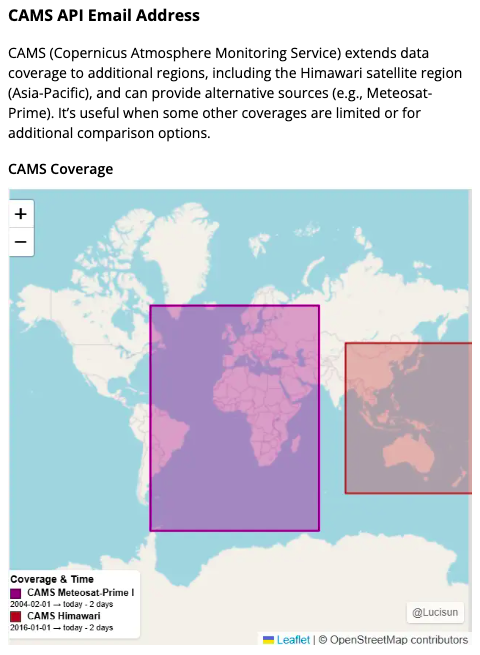
See more options available in Access to correlative data section in detailed help.
Next article: Manage your EKO Q account settings
Go back to: Sign up and log in to EKO Q